Absolute Autonomous Systems User Manual

This manual trains users to operate the website as an app: select a South African language, search all content, use voice commands, use video motion commands, monitor automated consequence management, review 20 demonstration examples, and submit a request.

Verified Screens

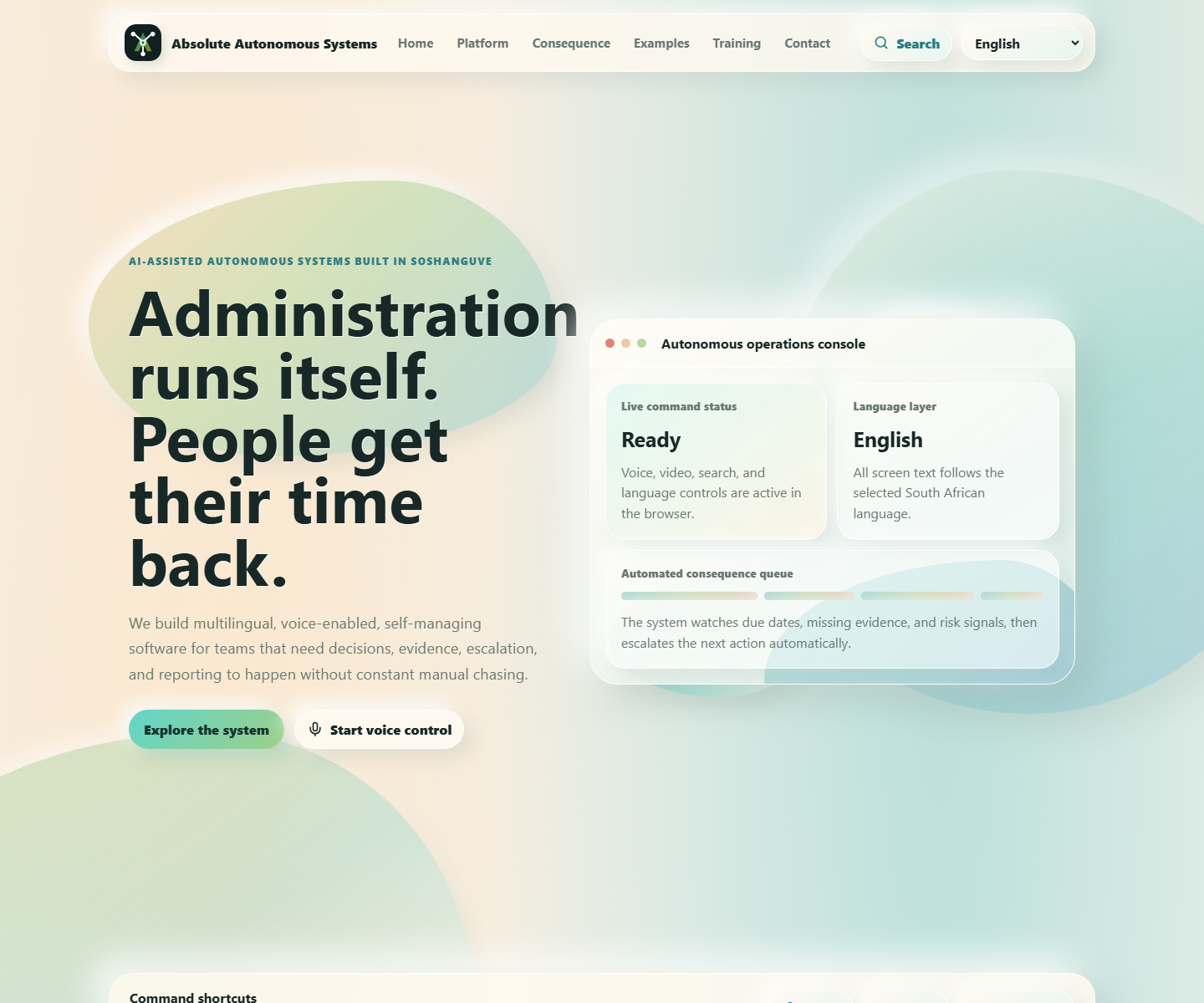
Desktop command console and homepage
Desktop homepage with the autonomous command console.
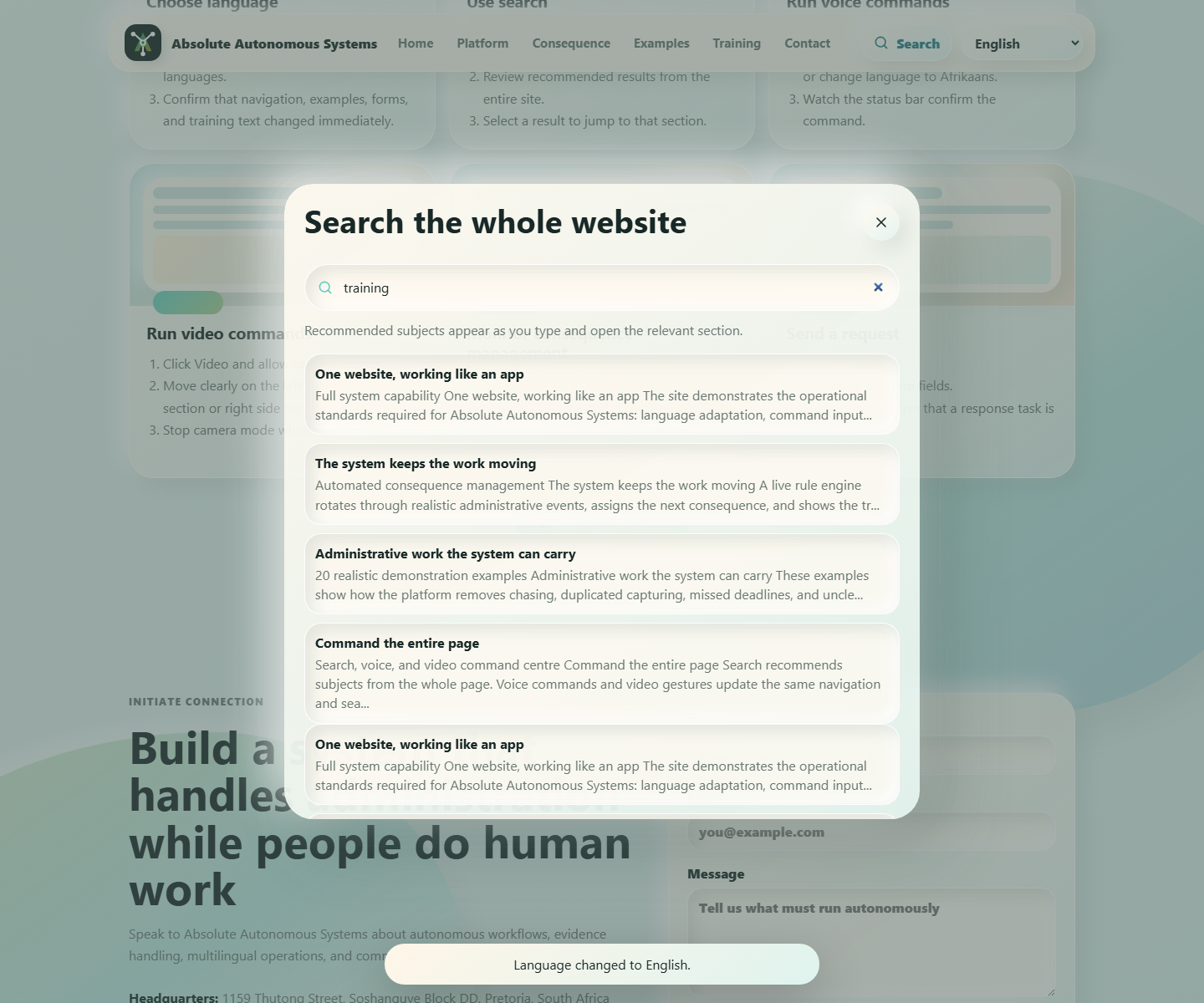
Search panel with recommendations
Global search panel with recommended searchable subjects.
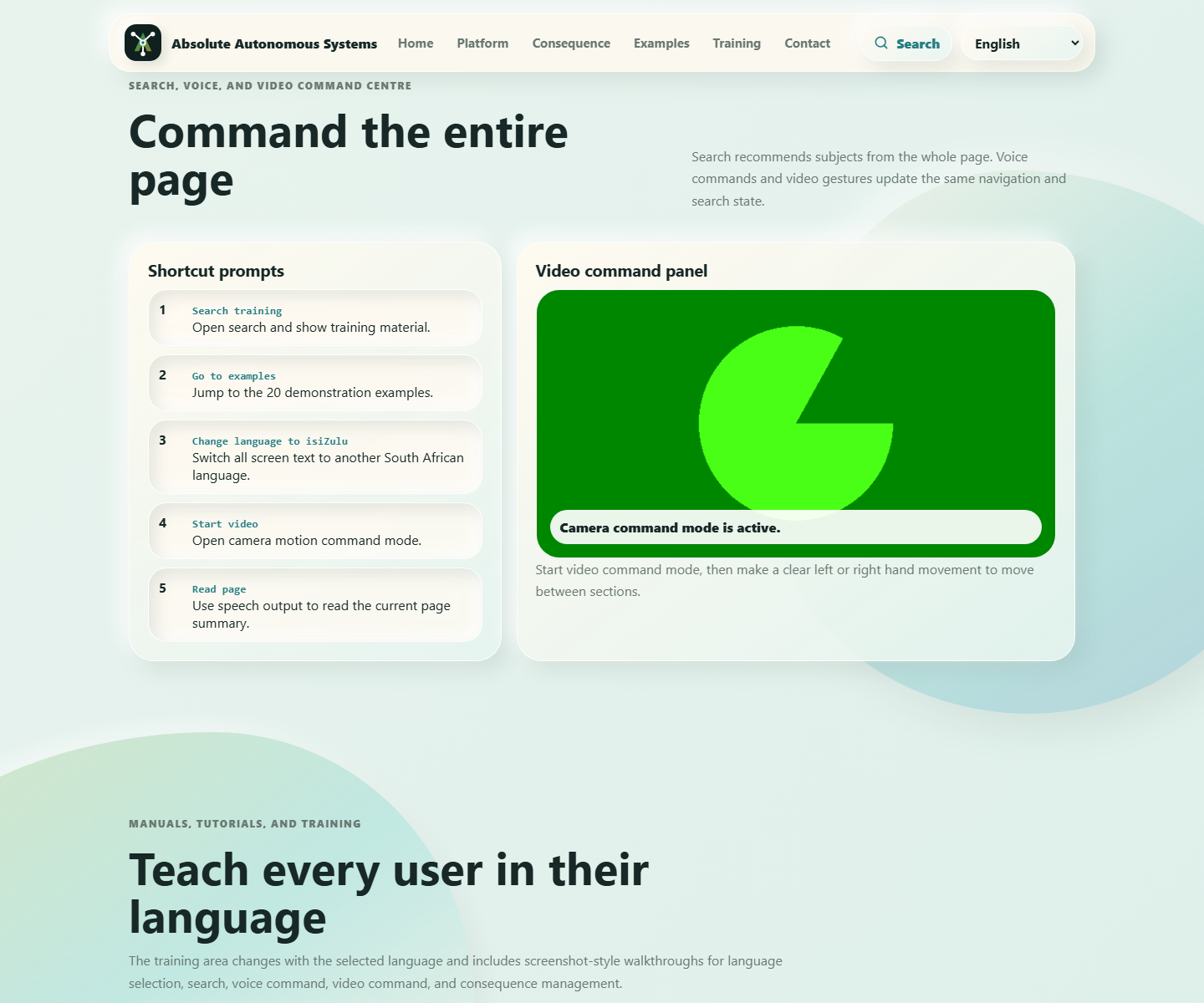
Video command panel
Video command panel validated with a browser camera device.
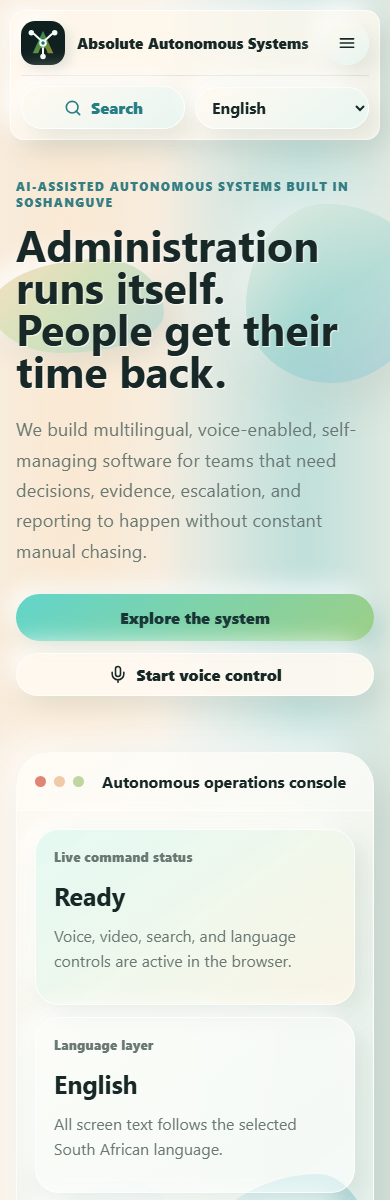
Mobile responsive view
Mobile layout with responsive navigation and translated content.

Core Workflows

Language

Select a language

  1. Open the language selector in the top navigation bar.
  2. Choose English, Afrikaans, isiNdebele, isiXhosa, isiZulu, Sepedi, Sesotho, Setswana, siSwati, Tshivenda, or XiTsonga.
  3. Confirm that navigation, examples, consequence rules, training, search help, form guidance, and status messages change immediately.
Search

Search the whole app

  1. Click Search or press Ctrl+K.
  2. Type a subject such as training, video, fleet, consequence, invoice, or artist royalty.
  3. Select any recommended result to jump to the correct section.
Voice

Use voice command mode

  1. Click Voice and allow microphone access in a supported browser.
  2. Say commands such as search training, go to examples, read page, start video, next, or previous.
  3. Use the command status bar to confirm what the app heard and what it did.
Video

Use video motion commands

  1. Click Video and allow camera access.
  2. Move clearly on the left side of the camera frame to go to the previous section.
  3. Move clearly on the right side of the camera frame to go to the next section, or move centrally to open search.
Consequence

Monitor automatic consequence management

  1. Open the Consequence section.
  2. Watch the live rule engine rotate through evidence, approval, training, risk, and data checks.
  3. Use owner, severity, next check, and queue status to understand accountability without manual prompting.
Examples

Present the 20 realistic examples

  1. Open Examples to show prospective users the 20 real-world administrative scenarios.
  2. Use the examples filter to focus on fleet, music rights, invoice reconciliation, field dispatch, training, and other subjects.
  3. Explain the human value line: the system carries administration so the user regains time for human work.

Shortcut Prompts

Search training

Opens global search and recommends training content.

Go to examples

Jumps to the 20 demonstration examples.

Start video

Starts the camera-based motion command panel.

Read page

Uses browser speech output to read the current page summary.

Workflow Description Pack

Training In All 11 Languages

English

Select Language, use Search, start Voice, start Video, monitor Consequence, and submit Contact in English.

Afrikaans

Kies taal, gebruik Soek, begin Stem, begin Video, monitor Gevolg, en stuur Kontak in Afrikaans.

isiNdebele

Khetha ilimi, sebenzisa Sesha, qala Ilizwi, qala Ividiyo, qapha Umphumela, bese uthumela Thintana.

isiXhosa

Khetha ulwimi, sebenzisa Khangela, qala Ilizwi, qala Ividiyo, jonga Isiphumo, uze uthumele Qhagamshela.

isiZulu

Khetha ulimi, sebenzisa Sesha, qala Izwi, qala Ividiyo, qapha Umphumela, bese uthumela Xhumana.

Sepedi

Kgetha polelo, šomiša Nyaka, thoma Lentsu, thoma Bidio, hlokomela Ditlamorago, gomme o romele Ikgokaganye.

Sesotho

Kgetha puo, sebedisa Batla, qala Lentswe, qala Video, shebella Ditlamorao, mme o romele Ikopanye.

Setswana

Tlhopha puo, dirisa Batla, simolola Lentswe, simolola Bidio, lebelela Ditlamorago, mme o romele Ikgolaganye.

siSwati

Khetsa lulwimi, sebentisa Sesha, cala Livi, cala Ividiyo, caphela Umphumela, bese utfumela Tsintsana.

Tshivenda

Nangani luambo, shumisani Toda, thomani Ipfi, thomani Vidiyo, sedzani Mvelelo, ni rumela Kwamana.

XiTsonga

Hlawula ririmi, tirhisa Lava, sungula Rito, sungula Vhidiyo, languta Vuyelo, kutani u rhumela Tihlanganise.
Operating Standards

The app must always show user-friendly UI states. Browser speech recognition and camera access depend on real browser permissions; when unavailable, the app shows readable fallback messages. Verification evidence is generated by npm run verify:all and saved under output/evidence and output/playwright.